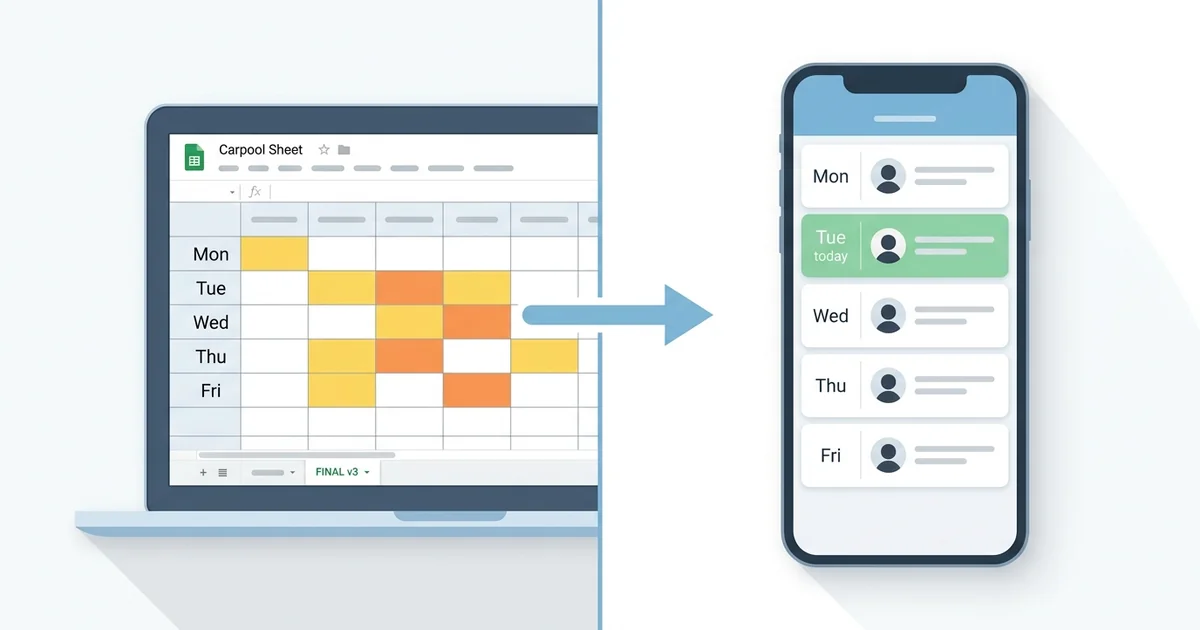
Almost every carpool starts the same way. One parent volunteers to "set something up," opens Google Sheets, types four names across the top and five weekdays down the side, and shares the link in a group text. For a couple of weeks, it actually works.
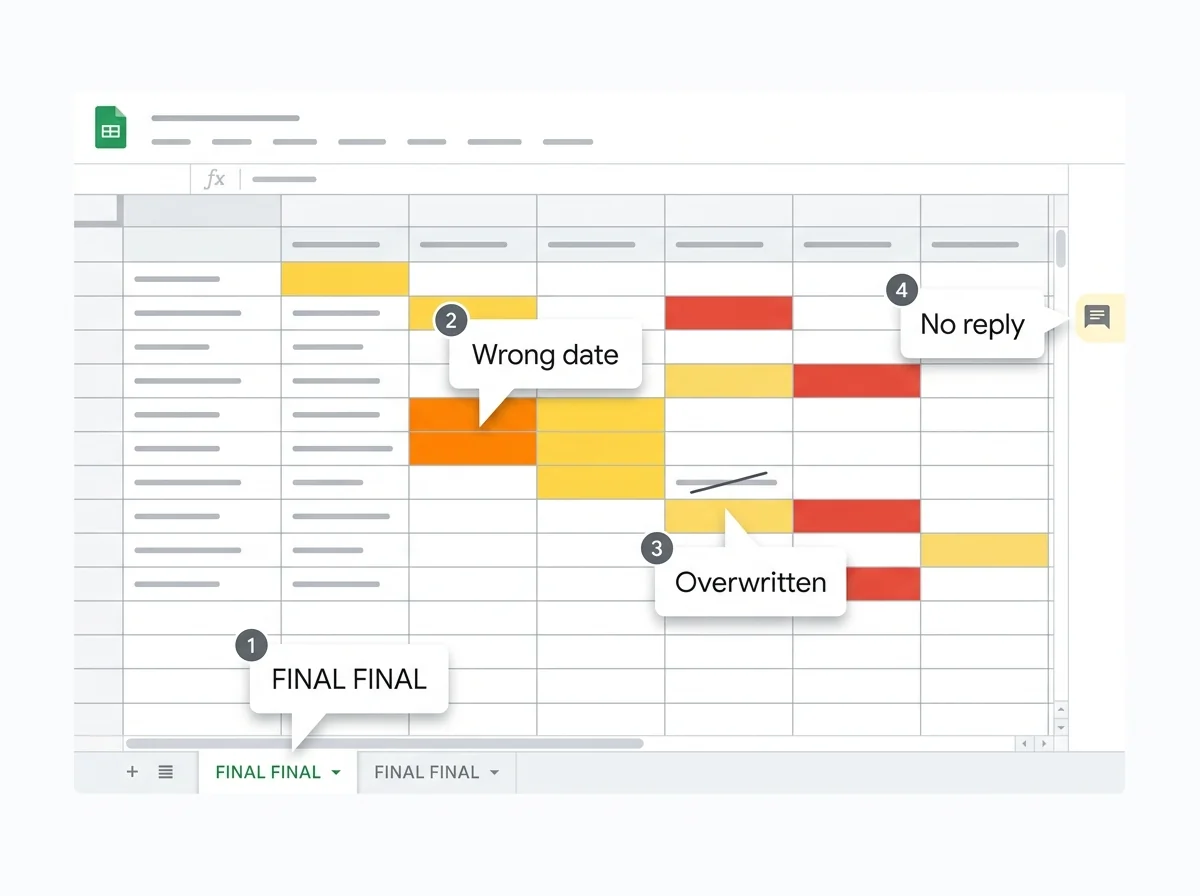
Then someone's kid gets sick. Someone else swaps Tuesday for Thursday but only tells one parent. The sheet gets accidentally edited from a phone in line at Target. By week six, the group text has become a parallel system that everyone trusts more than the spreadsheet, and the spreadsheet itself has three "FINAL" tabs and a row of red cells nobody understands.
This is not a knock on spreadsheets. Spreadsheets are one of the great tools of the last forty years. They are just being asked to do a job they were never designed for: coordinate live, multi-family logistics on small phone screens, in real time, with notifications. That is what carpool apps exist to do.
Here is an honest look at where spreadsheets work, where they break, and how to move your group over without losing anyone in the transition.
Why Spreadsheets Became the Default in the First Place
Spreadsheets won the carpool category by accident. There was nothing else.
They are free. Every parent already has a Google account. The learning curve for typing names into a grid is roughly zero. You can color-code the cells. You can share with one link. For a generation of parents who organized soccer rosters and bake sales the same way, it was the obvious choice.
Spreadsheets also handle one thing extremely well: a single source of truth that one organized person maintains. If you are the type of parent who likes to own the schedule and just tell everyone else what's happening, a spreadsheet is genuinely fine. You update it on Sunday night, screenshot the week, drop the screenshot in the group text, and you are done.
The problem is that most carpools are not run that way. Most carpools are four or five families trying to share the work. The minute "shared" becomes the operating mode, the spreadsheet stops being a tool and starts being a liability.
Where Spreadsheets Break
These are the failures we hear about over and over from parents who eventually switched.
Concurrent edit conflicts and silent overwrites
Google Sheets technically supports multiple editors at once. In practice, on phones, two parents can absolutely overwrite each other. Mom edits Tuesday from the carpool line. Dad edits Tuesday from his desk forty seconds later. Whoever saves last wins, and nobody sees a notification that anything happened. By Tuesday morning, one of them is at the school and the other one is not.
Apps built for shared schedules handle this differently. Carpool-Q, for example, uses a distributed locking system that flags a slot as "being edited" so a second parent literally cannot stomp on the change. That is not a fancy feature. It is the difference between knowing who is driving on Tuesday and finding out at 7:42 AM.
No real notifications
A spreadsheet does not text you. It does not push a reminder the night before your driving day. It does not ping the group when tomorrow has no driver assigned. If the schedule changes, the only way anyone knows is if a human remembers to announce it in the group text. Humans forget.
This is the single biggest functional gap. The whole reason carpools fall apart is that someone forgot it was their day. A schedule that lives in a spreadsheet is a schedule nobody is reminded about.
The "who drove yesterday" lookup
Six weeks into a carpool, somebody always asks, "wait, didn't I drive Wednesday two weeks ago?" In a spreadsheet, you scroll. You squint. You realize the person who set it up overwrote last week's entries with this week's. The history is gone, or it's there but buried in the version log that nobody knows how to find.
Apps keep a clean log of who drove when, partly because they have to, and partly because fairness in a carpool is the difference between a group that lasts a school year and a group that quietly dies in October.
Mobile UX, or the lack of it
Google Sheets on a phone is a small grid you have to pinch-zoom to read while standing in a parking lot. The cell you need is always the one that just got covered by the formula bar. You tap the wrong row. You scroll past Friday. The formatting that looked great on the laptop is now eight columns wide on a 6-inch screen.
Carpools happen on phones, in driveways, between meetings. A tool that requires a desktop to be usable is a tool that is going to lose to "let me just text the group."
Version drift
Somebody downloads the sheet to print it. Somebody else makes a "personal copy" because they don't want to mess up the master. A third parent forks it for the soccer carpool that has different drivers. Within a month, three versions exist and nobody is sure which one is canonical. You cannot run a carpool out of three documents.
What Carpool Apps Actually Add
Setting aside any specific brand, here is what a purpose-built carpool app gives you that a spreadsheet structurally cannot.
Real-time sync that you can trust. When a parent updates Thursday, every other parent's screen reflects that change in seconds, not whenever someone refreshes the tab. There is no "stale view" problem. Push notifications. Driver reminders the night before. Shortage alerts when tomorrow has no driver assigned. Daily summaries in the morning. You stop having to remember the schedule because the schedule remembers you. Edit-conflict prevention. As mentioned above, a real app locks the slot being edited. Spreadsheets do not. Family sharing. Both parents in a household see the same schedule under one account, which means the spouse who "doesn't really do the carpool stuff" can still glance at their phone and know it's their turn Tuesday. Spreadsheets technically allow this through shared links, but in practice the second parent is rarely added and never opens it. One-tap actions. Marking yourself as driver, swapping days, adding a one-off trip for a field trip, all happen in a tap or two. No selecting cells, no formatting, no undo-ing the formula you accidentally typed.The honest summary: a spreadsheet is a great way to design a carpool. It is a poor way to operate one.
When a Spreadsheet Is Still Fine
We are not here to tell you every carpool needs an app. There are real cases where a sheet is the right call.
- Two-family carpools. If it is just you and one other family alternating days, a shared note in your phone is fine. An app is overkill.
- One-off events. A field trip carpool that runs once does not need a tool. A group text and a sheet of names is plenty.
- Single-driver setups. If one parent drives every day and the others just contribute gas money, you do not need scheduling. You need Venmo.
- Tech-resistant groups. If half your carpool is going to refuse to install anything, a spreadsheet they will actually look at beats an app they will not. Pick the tool the group will use.
How to Migrate Four Families From a Sheet to an App
Here is the actual nuts-and-bolts version. We have helped enough families do this to know where it goes wrong.
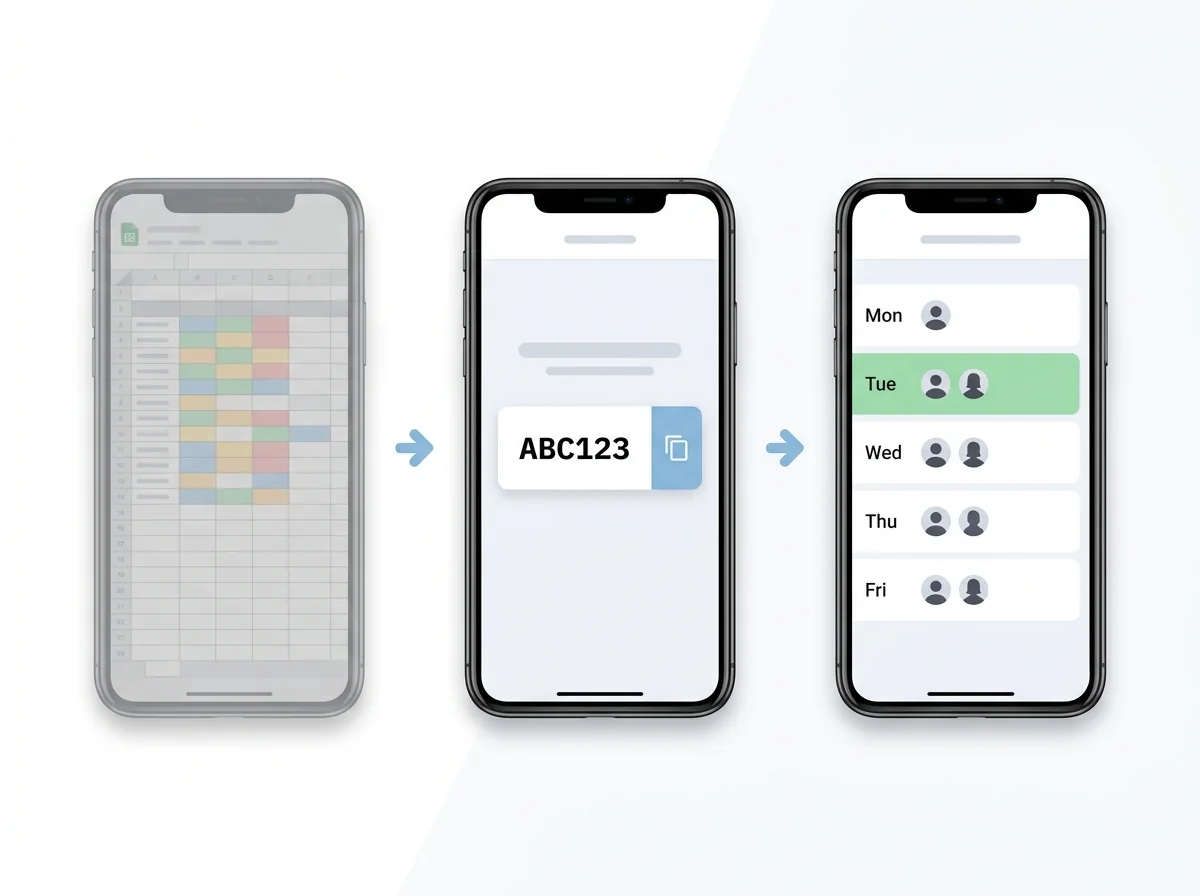
1. Pick the app first, then sell it to the group. Do not crowdsource the choice in the group text. You will get six opinions and pick none of them. Decide. Most families end up choosing between Carpool-Q ($1.99/month, all features included), GoKid (free tier or about $50/year for Pro), and Carpool Kids (free with a paid tier). Pick based on what your group actually needs. We obviously like Carpool-Q, but the right answer is whichever one your four families will all use. 2. Set it up before you announce it. Open the app. Create the carpool with your real schedule, your four families, your real kids' names. Add the recurring days. This takes about ten minutes. Doing this first means when you send the invite, the app already looks like a real working schedule, not an empty grid. 3. Send the invite code in the existing group text. Use the channel everyone already checks. Do not start a new thread. Something like: "Hey, the spreadsheet has been getting messy. Trying out Carpool-Q for the rest of the semester. Invite code: ABC123. Takes 2 minutes to join." 4. Give it a week of overlap. Keep the spreadsheet alive for one week as a backup. This is the single biggest predictor of a successful migration. Parents need to see the new system match the old one for a few days before they trust it. After a week, archive the sheet (do not delete it) and switch fully. 5. Pick a "go-live Monday." Not a Wednesday. Not a Friday. Mondays reset everyone's mental schedule. Announce: "Starting Monday the 12th, the app is the source of truth. If it's not in the app, it's not happening." 6. Designate one person as the migration owner for two weeks. Usually the parent who set up the original spreadsheet. Their only job for two weeks is to nudge anyone who hasn't joined and answer "where do I tap to..." questions. After two weeks, the system runs itself.Most groups complete the full transition in 7 to 10 days. The two failure modes we see: nobody owns the migration, or the organizer tries to flip the switch on a Friday before a long weekend. Avoid both and you will be fine.
Frequently Asked Questions
Can I import my Google Sheet directly into a carpool app?
Not in any one-click way that we know of, and honestly you do not want to. The fastest path is to retype the schedule into the app, which takes about ten minutes for a typical four-family carpool. The act of retyping forces you to clean up the half-broken rows and ghost entries that built up in the sheet.What if one parent refuses to install an app?
Most carpool apps, including Carpool-Q, have a web view that works in any phone browser without installing anything. If a parent still refuses, you have a people problem, not a tool problem. Either accept that you'll have to text them updates manually, or revisit whether they should be in the carpool at all.Are carpool apps secure with my kids' names and schools?
Reputable apps encrypt data in transit and use database-level access rules so only your carpool members can see your schedule. Carpool-Q uses Firebase (Google Cloud) with security rules that scope every read to the carpool members. As always, read the privacy policy of any app before adding kids' info.Will my carpool save money switching from a free spreadsheet to a paid app?
You will not save money. Spreadsheets are free; apps cost a few dollars a month. What you save is time and arguments. If the question is "is it worth $1.99 a month to not have the Tuesday-morning panic text," most parents who have lived through that panic text say yes.What's the smallest carpool that benefits from an app?
Three families is roughly the threshold. At two families, a shared note works. At three or more, the coordination cost of a spreadsheet starts exceeding the cost of an app, and it gets steeper from there.The Honest Take
Spreadsheets did not fail you. They were never built for this. A Google Sheet is an extraordinary general-purpose tool, and using it to bootstrap your carpool was the right call when you had nothing else. But once a carpool has three or more families and a recurring weekly schedule, a tool designed for the job is going to outperform a tool repurposed for it. That is true whether you pick Carpool-Q, GoKid, or anything else with real notifications and real sync.
If you want to try the cheapest full-featured option, Carpool-Q is $1.99 a month with a 14-day free trial and no credit card required. Set it up Sunday night. Run it alongside the spreadsheet for a week. Decide for yourself.
Try Carpool-Q free for 14 days